List
6 Best Interactive Story Apps in 2026 (Read, Type, Write, Watch)
The best interactive story app depends on how much control you want. Read-and-choose apps (Episode, Chapters, Choices) let you steer pre-written plots. AI Dungeon lets you type anything in text. Twine is a free tool for writing your own branching story. FICT turns your premise and choices into an animated film.
"Interactive story app" covers at least four very different things. One person searching for it wants a romance they can read on the train while picking what the lead says. Another wants to type "I open the forbidden door" and see what happens. A third wants to write a branching story for their friends. A fourth wants to watch their idea play out as a movie.
Most lists mash these together and rank them by star rating. That is not very helpful, because a great app of the wrong type is still the wrong app. So this list is sorted by what you want to do, and each entry tells you the format, what you actually control, and who it suits.
A quick disclosure: we make FICT, one of the apps below. We have tried to describe every option, including ours, by what it is rather than by hype, and we point you elsewhere when another app is the better fit.
Best interactive story apps: quick picks
- Best for reading romance and drama: Episode, Chapters and Choices: Stories You Play. You read illustrated stories and pick from choices the writers planned.
- Best for typing anything: AI Dungeon. You type actions and dialogue, and an AI continues the story in text.
- Best free interactive story creator: Twine. You write every passage and link the choices yourself, and the story plays in a web browser.
- Best for watching your own story as video: FICT. You write a premise and choose each next move, and it makes animated scenes joined into one film.
Interactive story apps compared at a glance
| App | Format | What you control | Best for |
|---|---|---|---|
| Episode, Chapters, Choices: Stories You Play | Illustrated or animated visual stories with text | Pre-written choices inside an authored plot | Reading romance and drama with some agency |
| AI Dungeon | Text adventure generated by AI | Anything you type | Open-ended roleplay and improvisation in text |
| Twine | Free, open-source tool for branching stories that play in a browser | Every word and every branch (you write it all) | Writers, teachers, and game makers |
| FICT | AI-generated animated scenes, 5 or 10 seconds each | The premise, style, and every next move (three suggestions or your own) | Directing your own short animated film |
If you want to read a story and make choices
Episode, Chapters, and Choices: Stories You Play
These are the apps most people picture when they hear "interactive story app." You read a story told in illustrated scenes and dialogue boxes, and at key moments you pick from a short list of options: what your character says, who they trust, which outfit they wear, who they end up with.
Format: visual stories with text, organized into episodes or chapters.
What you control: choices that writers have already planned. Your picks can change scenes, relationships, and endings, but you are moving through a map someone else drew.
Best for: people who want an interactive story romance, drama, or mystery to read in short sessions. Romance is a big part of what these apps publish, so if "interactive story romance" is what brought you here, start with this group.
Trade-off: you cannot bring your own premise. If the story you want does not exist in their library, these apps cannot make it.
If you want to type anything and see what happens
AI Dungeon
AI Dungeon is a text adventure where an AI writes the story in response to whatever you type. There is no menu of options. You describe an action or line of dialogue, and the AI continues the scene. You can start from a preset scenario or set up your own world.
Format: text only. The experience is closer to improvised tabletop roleplay than to a book.
What you control: nearly everything you can put into words. The flip side is that the AI controls the prose, and long sessions can drift or forget details unless you guide them.
Best for: people who enjoy writing and reading a lot of text, and who like steering a story in real time. If you want to understand how this style of app compares with video-based ones, see our guide to choose-your-own-adventure AI.
If you want to be the interactive story creator
Twine
Twine is a free, open-source tool for writing interactive, nonlinear stories. You write passages and link them together; the result is a story file that plays in a web browser. There is no AI. Every sentence and every branch is yours.
Format: a writing tool, not a reading app. Your finished work is a browser-playable story you can share.
What you control: all of it. You can keep things simple with plain links, or add variables and conditions if you want to track what the reader has done.
Best for: writers, students, and teachers who want to learn branching structure properly, and anyone who wants total authorship. It is the most honest answer to "interactive story maker" if you mean a tool for making, not playing.
Trade-off: it takes real writing time. A story with many branches grows fast. If you go this route, our guide on how to write a choose-your-own-adventure story covers structures that keep the workload sane.
If you want to watch your story as a film
FICT: AI Movie Maker
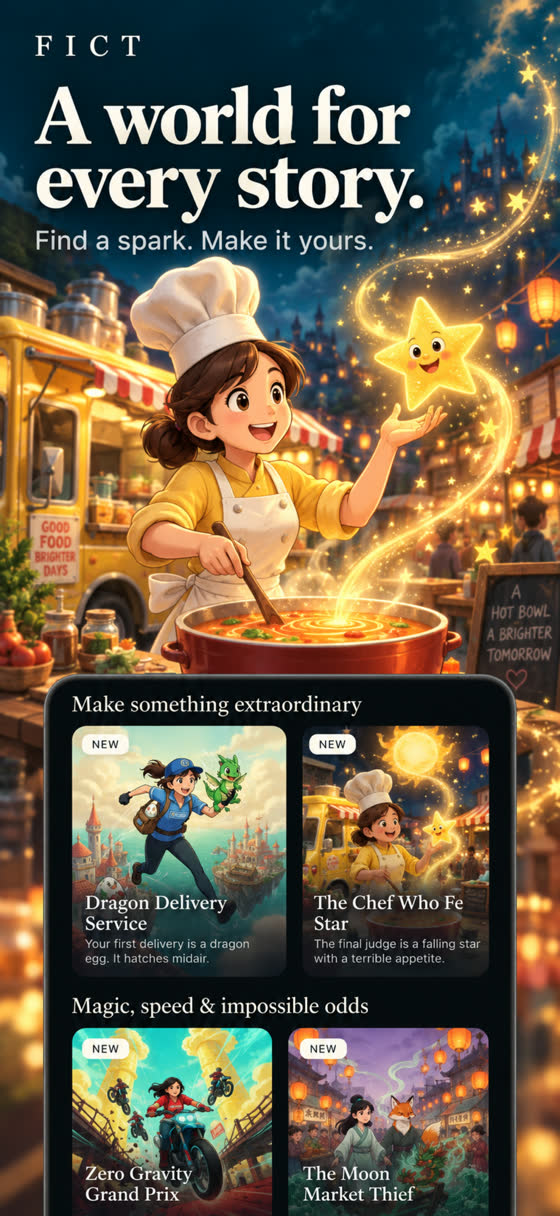
FICT is the app we make, launched in September 2026 on iOS and Android. It sits in a category that barely existed before: an interactive story app where each step is an animated video scene instead of a page of text.
How it works: you write a premise, usually starting with "What if…", and describe your protagonist, the world, the mood, and a visual style such as anime, watercolor, or 3D. Or you pick a story from the in-app shelf. FICT generates an animated scene with narration or dialogue text. After each scene, it offers three suggested actions, or you write your own. Your choice becomes the next scene.
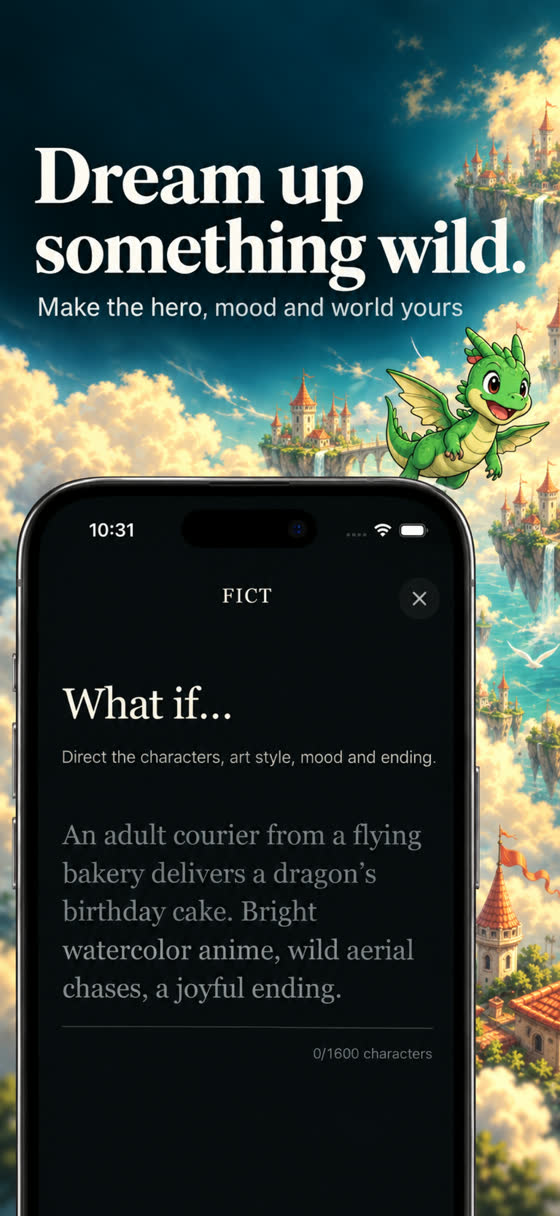
Format: scenes of 5 or 10 seconds, strung together into one film. Films have no fixed length; you stop when the story feels done. Completed choices are permanent, so the film keeps the path you took, and finished films replay start to finish.
What you control: the premise, the style, and every next move. You are closer to a director than a reader.
Cost: generation uses credits. A 5-second scene costs 10 credits and a 10-second scene costs 20. New players get 20 free credits, and there is a built-in sample film, "The Last Train," you can watch without spending anything. If a generation fails, the credits are refunded once. Optional subscriptions are FICT Director Weekly (US $8.99) and Yearly (US $59.99); there is no free trial and no unlimited generation. Your local price shows in the app.
Privacy: no login, no public feed. Stories stay private.
Best for: people who think visually and want to see an idea move. Genres that work well include fantasy, romantic comedy, action, cozy slice-of-life, and mystery, all with original fictional characters.
Trade-off: scenes are short, and each one costs credits, so FICT is built for a focused short film rather than hours of reading. If you want a long romance to read every night, a read-and-choose app is the better match.
For more on the category, read what an AI movie maker is or the step-by-step guide to making an AI short film.
Which interactive story maker app lets you create your own story?
If you searched for an "interactive story maker app," you probably want to make something, not only play it. Only two of the options above let you start from your own idea, and they sit at opposite ends: one asks you to write everything, the other asks you to direct.
| What you want to make | Option | What you do | What you get |
|---|---|---|---|
| A branching story you wrote word by word | Twine (free) | Write every passage and link the choices yourself | A story file that plays in a web browser and can be shared |
| An improvised text story | AI Dungeon | Set up a scenario, then type actions and dialogue | A text adventure continued by AI in real time |
| An animated film from your premise | FICT | Write a "What if…" premise, pick a style, then choose or type each next move | 5 or 10 second animated scenes joined into one film that replays start to finish |
| Nothing yet, you want to read | Episode, Chapters, Choices | Pick from choices the writers planned | A finished authored story with your path through it |
A practical way to decide: if you enjoy writing and want full control over every branch, start with Twine and plan your structure first. If you want to see an idea on screen tonight without writing a script, start with a one-line premise in FICT. Either way, the premise matters most. If you need one, borrow from our list of 100 what if scenarios or 60 story ideas by genre.
And if what you really want is the paper version, our list of choose your own adventure books for adults covers the best gamebooks to read.
Is there an interactive video storytelling app?
Most interactive stories apps show text, or illustrated panels with text on top. If you searched for an interactive video storytelling app, you probably want the story to move on screen, the way an interactive film does. There are two kinds of experience here, and they are easy to mix up:
| Type | Who makes the scenes | Where your choices go | Example on this list |
|---|---|---|---|
| Interactive film you watch | A studio films every branch in advance | Between a fixed number of paths the studio planned | Interactive films covered in our history of interactive movies |
| Interactive story you direct as video | An AI generates each scene from your premise and choice | Anywhere: pick a suggested choice or type your own | FICT |
In FICT, each scene is 5 or 10 seconds of animation with narration or dialogue, in a style you pick, such as anime, watercolor or 3D. After every scene you choose one of three next moves or type your own, and the finished film replays from the first scene. If you have no premise yet, our 50 fantasy story ideas and 50 romance story ideas are written to paste straight into the "What if…" field.
How do I choose an interactive story app?
Ask yourself three questions:
- Do I want to read, write, or direct? Reading points to Episode, Chapters, or Choices. Writing points to Twine. Directing points to FICT. Improvising in text points to AI Dungeon.
- Do I want to bring my own idea? If yes, skip the read-and-choose group. Their stories are authored in advance.
- Text or picture? Some people love long text. Others lose interest without visuals. Be honest about which you are.
What makes a good interactive story, regardless of app?
After testing a lot of branching stories, a few things separate the memorable ones from the forgettable ones:
- Choices with real stakes. "Go left or right" is filler. "Tell her the truth or protect her" is a story.
- Consequences you can see. A choice should visibly change what happens next, not just a line of dialogue.
- A clear want. The protagonist needs a goal. Without one, choices feel random.
- An ending that pays off. Even an open-ended story needs moments that land.
These principles apply whether you are reading in Chapters, typing in AI Dungeon, linking passages in Twine, or directing scenes in FICT.
Where interactive stories came from
Branching stories are older than apps. Choose-your-own-adventure books, a phrase that comes from Bantam's "Choose Your Own Adventure" series starting in 1979, taught a generation to flip to page 47. Film tried it too, from Kinoautomat in 1967 to Netflix's "Black Mirror: Bandersnatch" in 2018. If you are curious how that history leads to apps like these, read our history of interactive movies, or start with the basics in what interactive storytelling is, with the research on why some choices feel meaningful and others do not.

Write a “what if…”, watch the scene, choose what happens next. New players get 20 free credits.
If you want to try directing before spending anything, open FICT and watch "The Last Train," then use your 20 free credits on a premise of your own. Press and partnership details are on our press page.
Frequently asked questions
What is an interactive story app?
An interactive story app lets you influence how a story unfolds by making choices. Some apps give you a menu of pre-written choices, some let you type anything to an AI, some are tools for writing your own branching story, and some generate animated video scenes based on your choices.
What is the best interactive story app for romance?
If you want to read romance and pick choices inside a pre-written plot, read-and-choose visual story apps like Episode, Chapters, and Choices: Stories You Play are built around that. If you want to create your own romance, a text AI adventure or an AI film app like FICT lets you set the premise yourself.
Is there a free interactive story creator?
Twine is a free, open-source tool for writing branching stories that play in a web browser. It requires you to write every passage yourself. AI-based apps usually offer some free use and then charge for more generation.
Which interactive story app makes videos instead of text?
FICT generates short animated scenes of 5 or 10 seconds from your premise and choices, then stitches them into a film you can replay. Most other interactive story apps present text or illustrated panels.
Do I need an account to use FICT?
No. FICT has no login and no public feed, and the stories you make stay private.